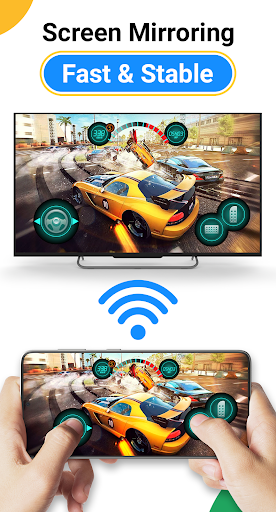
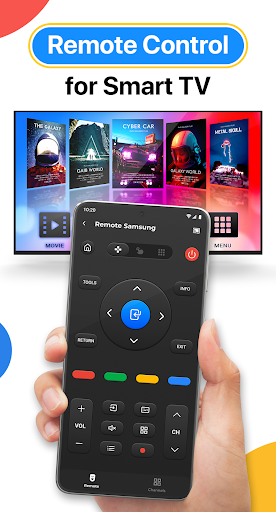
"Cast to TV: Screen Cast App" helps you can easily cast your phone to TV in the shortest time. Cast to TV app also helps you enjoy your library on any kind of smart tv like Chromecast, Roku, Fire TV, Xbox, Samsung, LG TV, and more. With the cast to tv app, you are no longer annoyed because the screen is too small, greatly affecting your eyes, enjoying sitting anywhere just looking at the screen.
"Cast to TV: Screen Cast App" can show all your photos, videos, games, and other apps on a bigger screen with the same wifi connection. It is a perfect application for sharing, streaming content with high quality and real-time speed. You can also search and easily stream your favorite TV shows at any time on your TV screen through screen mirroring. Cast to tv app allows screen mirroring for Chromecast: you can cast videos, photos from your phone to Chromecast. It is also easy to use to cast to tv with other devices.
Moreover, Cast to TV app gives you casting trending movies, best music onto TV as fast and stable. This Casting App will assist you to mirror your phone screen on smart TV. Live screencast, from mobile to other devices and From Android to TV. Enable TV mirror and with the smart cast to start the practice of fitness exercises on the TV screen. Share screen and TV connect to mobile to present your presentation with the live stream with a large reflective screen.
Supported devices:
• Chromecast
• Roku
• FireTV, Xbox
• Smart TVs: Sony, Samsung, LG TV,...
- Easily cast to tv between your phone and TV with simple steps.
- Screen Mirroring your phone to TV.
- Cast photo, video to Smart TV
- Experience music, playing the game on the bigger screen.
- Cast to TV: IPTV, Youtube, and more
- Control Smart TV by phone: pause, forward, rewind video, volume without delay.
- Get to know your library fast.
- Attention your phone and device must be connected to the same Wi-Fi
- Enable Wireless Display and Miracast enabled on your TV
- Choose and Connect to the TV
- Cast to TV with photo, video, music on your phone to a TV or use Youtube,...
This app is not affiliated with Google or any other brands mentioned.