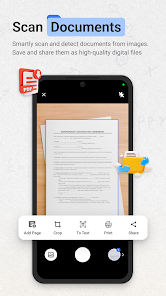
Fast, accurate scanning with AI-powered OCR captures text from receipts, documents, and photos in seconds; automatic edge detection, perspective correction, and multi-page stitching reduce manual adjustments. Extracted text is editable and searchable, enabling quick data entry, expense tracking, and sharing without retyping, with high accuracy even on low-quality images.
Seamless cloud synchronization keeps scans organized and accessible across devices, automatically syncing folders, tags, and annotations. Smart categorization and powerful search filters make retrieving documents fast. Integrations with Google Drive, Dropbox, and email simplify backups and sharing, while offline mode and selective sync let you work without an internet connection.
Strong privacy and security protect sensitive documents with local device encryption, end-to-end cloud encryption for backups, and optional passcode or biometric locks. Granular sharing permissions, automatic redaction tools, and audit logs give control over who sees data. Regular security updates and compliance with major privacy standards reduce risk of breaches.
1. Privacy and data security risks: ScanNow Home may upload scanned documents to cloud servers, exposing sensitive personal information if encryption, access controls, or data-retention policies are weak. Unclear permissions and third-party sharing increase risk of unauthorized access, profiling, or breaches, making it unsuitable for highly confidential material.
2. High battery and resource consumption: Continuous camera use, background processing, and image analysis can quickly drain battery life, increase CPU usage, and consume storage for temporary files. On older or low-end devices this causes overheating, sluggish performance, and shorter device lifespan, reducing usability for everyday scanning tasks.
3. Limited OCR accuracy and format loss: The app’s text recognition often struggles with handwriting, low-contrast or skewed images, and complex layouts, producing errors that require manual correction. Multilanguage support may be incomplete, and converted documents can lose original formatting, tables, or graphics, undermining reliability for professional use.